mirror of
https://github.com/abhinavxd/libredesk.git
synced 2026-09-10 14:15:42 +00:00
 Abhinav Raut
dad99bf0ee
Abhinav Raut
dad99bf0ee
Replies from the AI agent are now converted from markdown to HTML with
goldmark before queueing, so bold, links, and lists render properly in the
widget, agent app, and email. The prompt now allows simple markdown. Raw
HTML in model output is escaped by goldmark, and both frontends sanitize
on render anyway.

Other fixes bundled in:
- validate avatar type and size before creating or updating an assistant,
  and roll back the assistant if the avatar upload fails after create
- return 404 from agent update and API key endpoints for AI assistant
  identity users, and hide assistants from mention and SLA user pickers
- reserve the autonomous assistant's built-in tool names so custom tools
  cannot shadow them
- apply resolve after the reply is posted so the CSAT survey follows the
  answer instead of preceding it
- unassign the assistant on handoff even when the fallback team is the
  same team
- count reopens by status category instead of status name, and exclude
  CSAT messages from the turn cap
- split oversized wrapper divs into child blocks when chunking KB HTML
  instead of truncating them
- return 404 when soft-deleting an already-deleted agent, and keep AI
  assistants (which have no email) visible in the compact users list

libredesk
Modern, open source, self-hosted omnichannel customer support desk. Live chat, email, and more in a single binary.
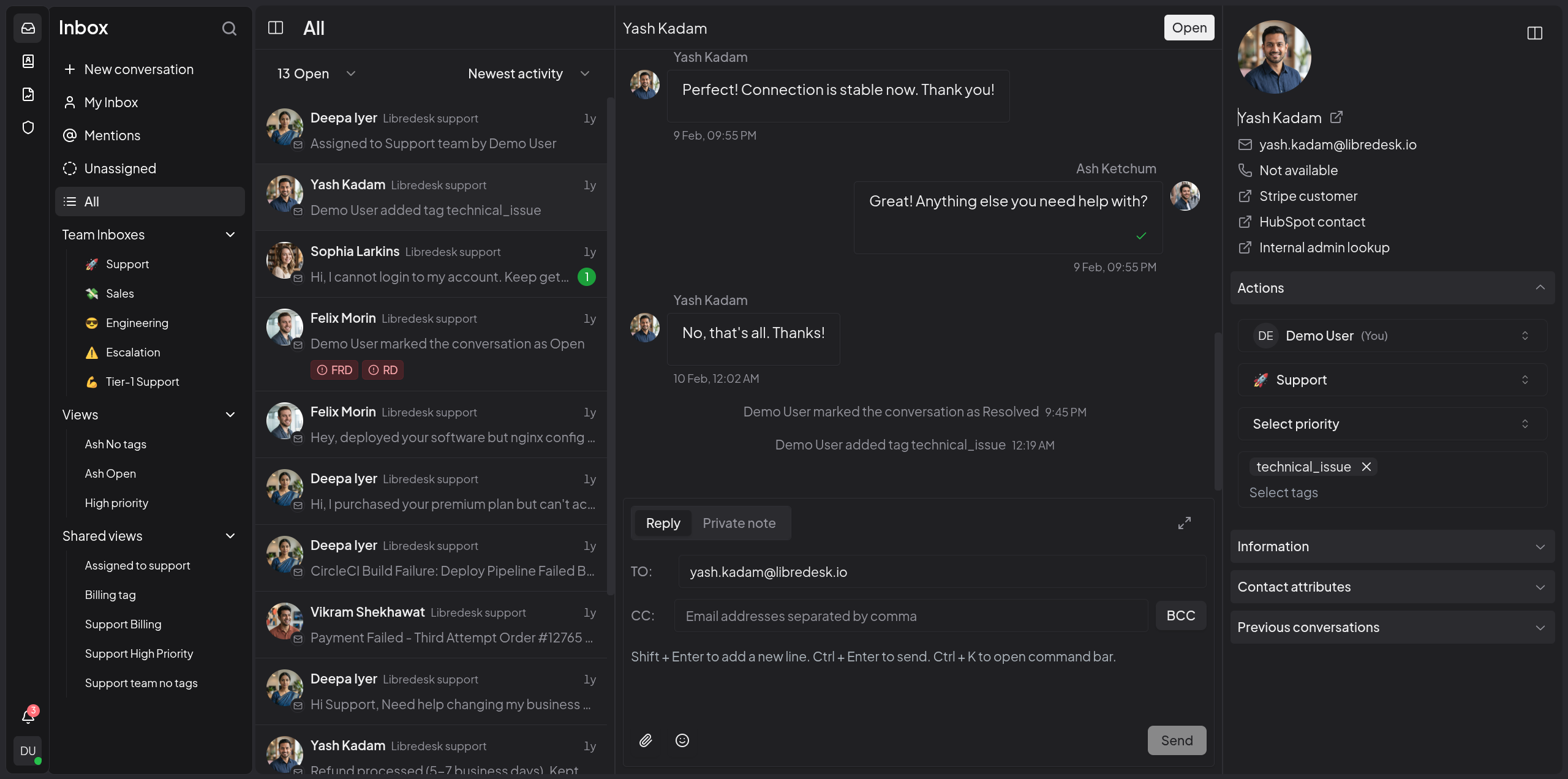
Visit libredesk.io for more info. Check out the live demo.
Features
- Omnichannel inbox
Live chat, email, and more — all in one inbox. Connect support@, billing@, sales@ and manage every conversation from a single, unified interface. - Live chat widget
Embed a real-time chat widget on your website. Engage visitors instantly and handle live conversations right from your support desk. - Granular permissions
Create custom roles with granular permissions for teams and individual agents. - Automations
Eliminate repetitive tasks with powerful automation rules. Auto-tag, assign, and route conversations based on custom conditions. - CSAT surveys
Measure customer satisfaction with automated surveys. - Macros
Save frequently sent messages as templates. With one click, send saved responses, set tags, and more. - Organization
Keep conversations organized with tags, custom statuses for conversations, and snoozing. Find any conversation instantly from the search bar. - Auto assignment
Distribute workload with auto assignment rules. Auto-assign conversations based on agent capacity or custom criteria. - SLA management
Set and track response time targets. Get notified when conversations are at risk of breaching SLA commitments. - Custom attributes
Create custom attributes for contacts or conversations such as the subscription plan or the date of their first purchase. - AI-assist
Instantly rewrite responses with AI to make them more friendly, professional, or polished. - Activity logs
Track all actions performed by agents and admins—updates and key events across the system—for auditing and accountability. - Webhooks
Integrate with external systems using real-time HTTP notifications for conversation and message events. - Command bar
Opens with a simple shortcut (CTRL+K) and lets you quickly perform actions on conversations.
And more — checkout libredesk.io or try the live demo.
Installation
Docker
The latest image is available on DockerHub at libredesk/libredesk:latest
# Download the compose file and sample config file in the current directory.
curl -LO https://github.com/abhinavxd/libredesk/raw/main/docker-compose.yml
curl -LO https://github.com/abhinavxd/libredesk/raw/main/config.sample.toml

# Copy the config.sample.toml to config.toml and edit it as needed.
cp config.sample.toml config.toml

# Run the services in the background.
docker compose up -d

# Setting System user password.
docker exec -it libredesk_app ./libredesk --set-system-user-password
Go to http://localhost:9000 and login with username System and the password you set using the --set-system-user-password command.
Binary
- Download the latest release and extract the libredesk binary.
- Edit config.toml as needed.
./libredesk --installto setup the Postgres DB.- Run
./libredesk --set-system-user-passwordto set the password for the System user. - Run
./libredeskand visithttp://localhost:9000and login with emailSystemand the password you set using the --set-system-user-password command.
Developers
- If you are interested in contributing, please read CONTRIBUTING.md first.
- For local development and setup, refer to the developer setup.
- For planned features and project direction, see ROADMAP.md.
The backend is written in Go and the frontend is Vue.js 3 with Shadcn UI.
Translators
You can help translate libredesk into your language on Crowdin.