mirror of
https://github.com/abhinavxd/libredesk.git
synced 2026-10-04 12:31:32 +00:00
 Abhinav Raut
b3c162381a
Abhinav Raut
b3c162381a
The verification tools and OTP prompt block loaded for every unverified
customer, so an assistant with no account-acting tools still asked people
for an email code it had no use for. The worker now checks the assistant's
tools first and skips both unless one is flagged requires_verification. A
lookup error fails open and keeps the flow.

The send tool's result did not say which address it mailed, so the model
filled one in from chat history. After a sibling conversation rebound the
contact's email, it named the old address while the mail went to the new
one. The result now names the address and mentions the spam folder.

The prompt did not say to check every code the customer sends, so after one
rejection the model declared the next code wrong without calling the tool
and handed off to a human.


Modern, open source, self-hosted omnichannel customer support desk. Live chat, email, and more in a single binary.
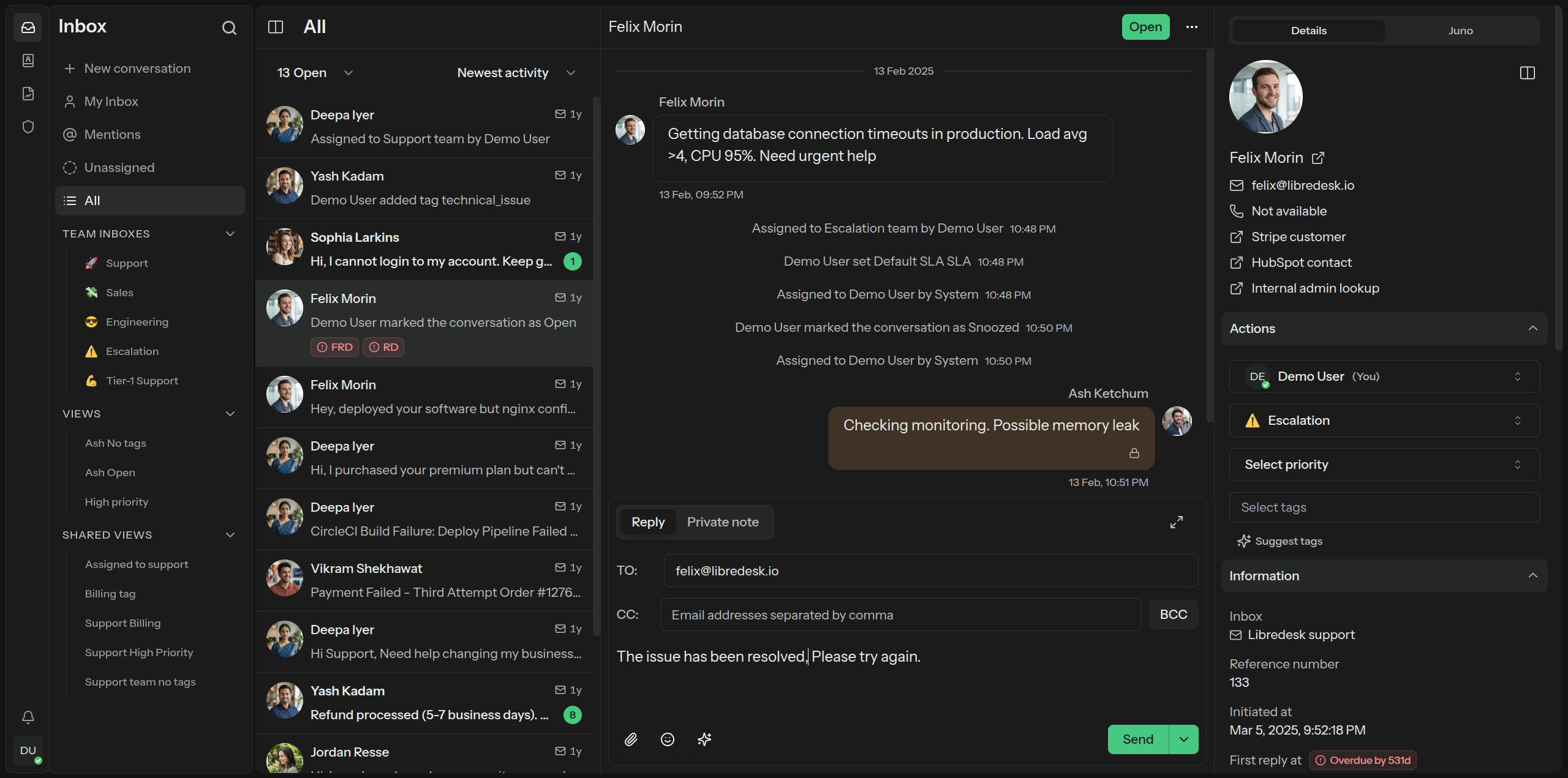
Visit libredesk.io for more info. Check out the live demo.
Features
- Omnichannel inbox
Live chat and email in one inbox. Every conversation lands in the same place, whichever channel it came from. - Live chat widget
Embed a real-time chat widget on your website. Replies go out from the same inbox your team already works in. - AI assistant
Answer live chat conversations automatically with an AI assistant grounded in your knowledge base. Hands off to a human when it can't help. - Agent copilot
Draft replies, summarize conversations, and look up answers from the knowledge base without leaving the inbox. - Automations
Rules that run on conversation events. Tag, assign, and route conversations based on conditions you define. - Granular permissions
Role-based access control. Create custom roles with per-action permissions for teams and individual agents. - CSAT & analytics
Send CSAT surveys automatically after a conversation closes. Track response times, resolution rates, and agent activity. - Custom attributes
Create custom attributes for contacts or conversations such as the subscription plan or the date of their first purchase. - Macros
Save replies you send often. One macro can send the message, set tags, and assign the conversation to a team. - Organization
Tags, custom statuses, and snoozing to keep the inbox in order. Search covers every conversation. - Auto assignment
Assign incoming conversations automatically, based on agent capacity or on criteria you define. - SLA management
Set and track response time targets. Get notified when conversations are at risk of breaching SLA commitments. - SSO logins
Google, Microsoft, and any OIDC provider are supported out of the box. - API
HTTP/JSON APIs and webhooks for custom integrations and workflows. - Activity logs
Track all actions performed by agents and admins, for auditing and accountability. - Command bar
Opens with a simple shortcut (CTRL+K) and lets you quickly perform actions on conversations.
And more — checkout libredesk.io or try the live demo.
Installation
Docker
The latest image is available on DockerHub at libredesk/libredesk:latest
# Download the compose file and sample config file in the current directory.
curl -LO https://github.com/abhinavxd/libredesk/raw/main/docker-compose.yml
curl -LO https://github.com/abhinavxd/libredesk/raw/main/config.sample.toml

# Copy the config.sample.toml to config.toml and edit it as needed.
cp config.sample.toml config.toml

# Run the services in the background.
docker compose up -d

# Setting System user password.
docker exec -it libredesk_app ./libredesk --set-system-user-password
Go to http://localhost:9000 and login with username System and the password you set using the --set-system-user-password command.
Binary
- Download the latest release and extract the libredesk binary.
- Edit config.toml as needed.
./libredesk --installto setup the Postgres DB.- Run
./libredesk --set-system-user-passwordto set the password for the System user. - Run
./libredeskand visithttp://localhost:9000and login with emailSystemand the password you set using the --set-system-user-password command.
Developers
- If you are interested in contributing, please read CONTRIBUTING.md first.
- For local development and setup, refer to the developer setup.
- For planned features and project direction, see ROADMAP.md.
The backend is written in Go and the frontend is Vue.js 3 with Shadcn UI.
Translators
You can help translate libredesk into your language on Crowdin.