Chris F Ravenscroft
f41b5ee19e
Chris F Ravenscroft
f41b5ee19e
* Better plugin build for darwin

* add link to documentation, only discovered it while perusing issues list (#276)

* Plugin: Unix PAM Authentication (https://github.com/glauth/glauth/pull/263) (#277)

* Plugin: Unix PAM Authentication (#263)

* Add plugin using pam authentication

Adds an additional plugin which us authenticating against
the PAM unix backend and exposing users and groups local
to the machine glauth is running on.

This can be used to expose local users for authentication
in other services which support ldap only.

* plugins: pam: Rewrite Bind() to use ldapopshelper

Modernizes the implementation of Bind() to make use of the helper
functions provided by LDAPOpsHelper.

In order to support custom authentication the existing config.User
has received an additional PassAppCustom property which allows to
specify a custom authentication callback for a user.

In case of the PAM backend this will be used to authenticate against
the local PAM database.

* plugins: pam: Rewrite Search() to use ldapopshelper

Modernizes the implementation of Search() to make use of the helper
functions provided by LDAPOpsHelper.

* plugins: pam: Capability through group membership

Adds a configuration option which decides if a user gets the search
capability or not based on the group memberships of a user.

* plugins: pam: Apply formatting

Runs gofmt and go get on all changes done earlier

* plugins: pam: Address feedback from CodeClimate

- reduce code similarity
- document new exports
- address casing of variables and functions
- reduce complexity of FindPosixGroups()
- reduce complexity of FindPosixAccounts()
- fix else branch in ldapopshelper

Co-authored-by: Marius Zwicker <marius.zwicker@mlba-team.de>

* Updated README for pam plugin

* Updated README for pam plugin

Co-authored-by: Marius Zwicker <marius@mlba-team.de>
Co-authored-by: Marius Zwicker <marius.zwicker@mlba-team.de>

* Removing db plugins

* Changing plugind package

* Remove main frmo plugin

* Move plugins to their own repos (#283)

* Plugins release build delegated to plugin Makefile

* Build and push docker containers

* README points to documentation

* Shortened README

* Prometheus exported (#284)

* Prometheus exporter

* Feature/zerolog (#285)

* Zerolog

* Adjusted logging levels

* Structured logging including ldap library

* Feature/check config (#286)

Add config check `--check-config`

Co-authored-by: Jörn Friedrich Dreyer <jfd@butonic.de>
Co-authored-by: Zhou Wenzong <wenzong@users.noreply.github.com>
Co-authored-by: Jairo Llopis <Yajo@users.noreply.github.com>
Co-authored-by: Benedikt Kulmann <benedikt@kulmann.biz>
Co-authored-by: Nicolai Willems <172633+nwillems@users.noreply.github.com>
Co-authored-by: Thibault Soubiran <soubi.thibault@gmail.com>
Co-authored-by: Clement JACOB <clems71@gmail.com>
Co-authored-by: Lutz Horn <code@lhorn.de>
Co-authored-by: Márk Sági-Kazár <sagikazarmark@users.noreply.github.com>
Co-authored-by: Peter Heise <pheise@koprolalie.com>
Co-authored-by: Ben Yanke <ben@benyanke.com>
Co-authored-by: fanlix <fanlix@gmail.com>
Co-authored-by: Hank Donnay <hdonnay@gmail.com>
Co-authored-by: dlitster <davidlitster@gmail.com>
Co-authored-by: Marius Zwicker <marius@mlba-team.de>
Co-authored-by: Marius Zwicker <marius.zwicker@mlba-team.de>
3.7 KiB
GLAuth: LDAP authentication server for developers
Go-lang LDAP Authentication (GLAuth) is a secure, easy-to-use, LDAP server w/ configurable backends.





- Centrally manage accounts across your infrastructure
- Centrally manage SSH keys, Linux accounts, and passwords for cloud servers.
- Lightweight alternative to OpenLDAP and Active Directory for development, or a homelab.
- Store your user directory in a file, local or in S3; SQL database; or proxy to existing LDAP servers.
- Two Factor Authentication (transparent to applications)
- Multiple backends can be chained to inject features
Use it to centralize account management across your Linux servers, your OSX machines, and your support applications (Jenkins, Apache/Nginx, Graylog2, and many more!).
Documentation
👉 The latest version of GLauth's documentation is available at https://glauth.github.io/ 👈
Quickstart
Get started in three short steps
Usage:
glauth: securely expose your LDAP for external auth

Usage:
  glauth [options] -c <file|s3url>
  glauth -h --help
  glauth --version

Options:
  -c, --config <file>       Config file.
  -K <aws_key_id>           AWS Key ID.
  -S <aws_secret_key>       AWS Secret Key.
  -r <aws_region>           AWS Region [default: us-east-1].
  --ldap <address>          Listen address for the LDAP server.
  --ldaps <address>         Listen address for the LDAPS server.
  --ldaps-cert <cert-file>  Path to cert file for the LDAPS server.
  --ldaps-key <key-file>    Path to key file for the LDAPS server.
  -h, --help                Show this screen.
  --version                 Show version.
Configuration:
GLAuth can be deployed as a single server using only a local configuration file. This is great for testing, or for production if you use a tool like Puppet/Chef/Ansible:
glauth -c glauth.cfg
Here's a sample config wth hardcoded users and groups:
[backend]
  datastore = "config"
  baseDN = "dc=glauth,dc=com"
[[users]]
  name = "hackers"
  uidnumber = 5001
  primarygroup = 5501
  passsha256 = "6478579e37aff45f013e14eeb30b3cc56c72ccdc310123bcdf53e0333e3f416a"   # dogood
  sshkeys = [ "ssh-dss AAAAB3..." ]
[[users]]
  name = "uberhackers"
  uidnumber = 5006
  primarygroup = 5501
  passbcrypt = "243261243130244B62463462656F7265504F762E794F324957746D656541326B4B46596275674A79336A476845764B616D65446169784E41384F4432"   # dogood
[[groups]]
  name = "superheros"
  gidnumber = 5501
More configuration options are documented here and in this sample file
Backends:
For advanced users, GLAuth supports pluggable backends. Currently, it can use a local file, S3 or an existing LDAP infrastructure. Through the use of optional plugins, you can connect SQL databases, PAM, and other datastores.
[backend]
  datastore = "ldap"
  servers = [ "ldaps://server1:636", "ldaps://server2:636" ]
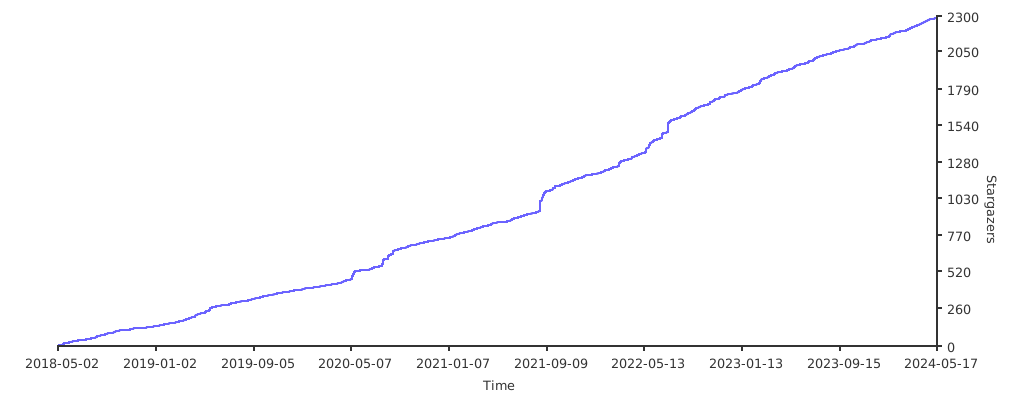
Stargazers over time