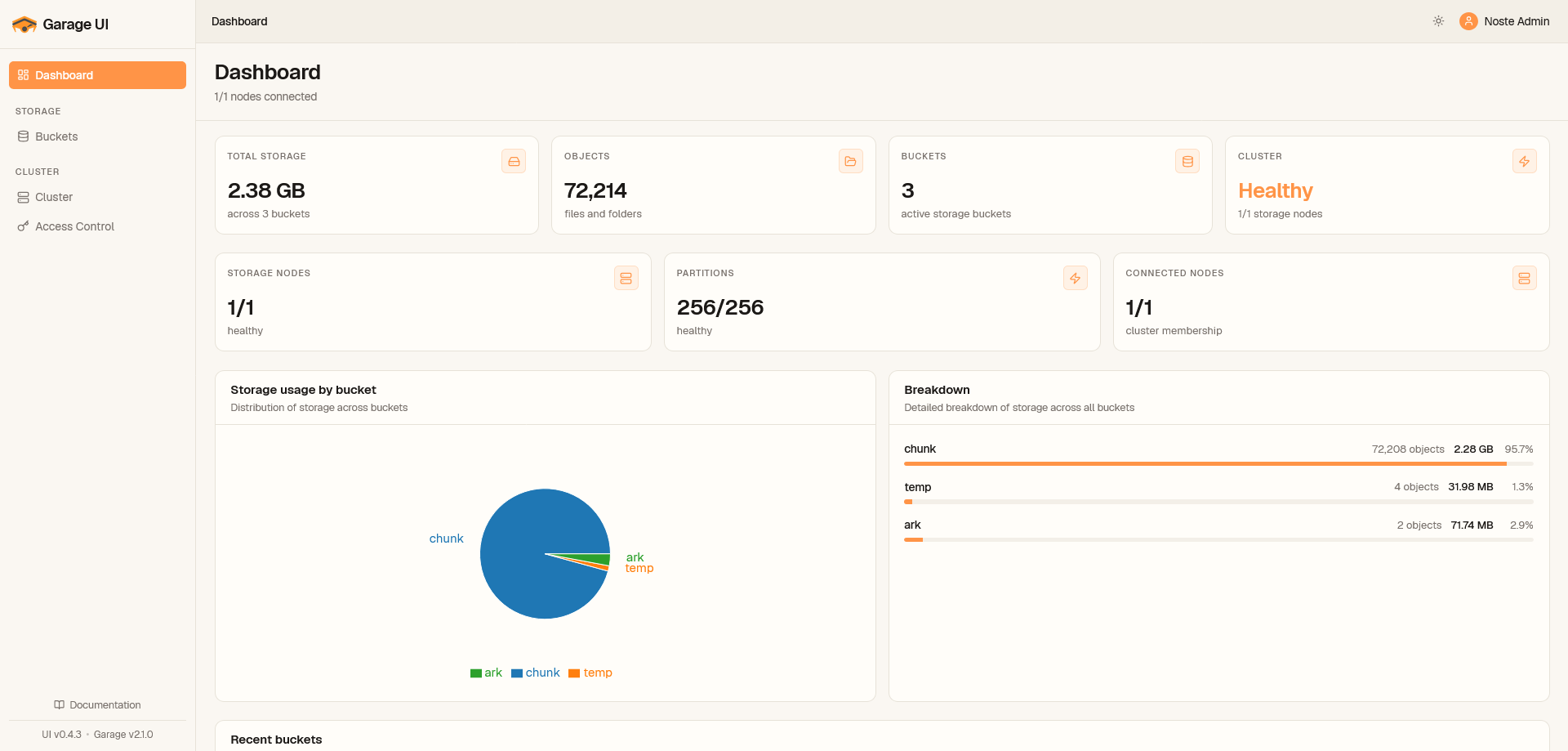
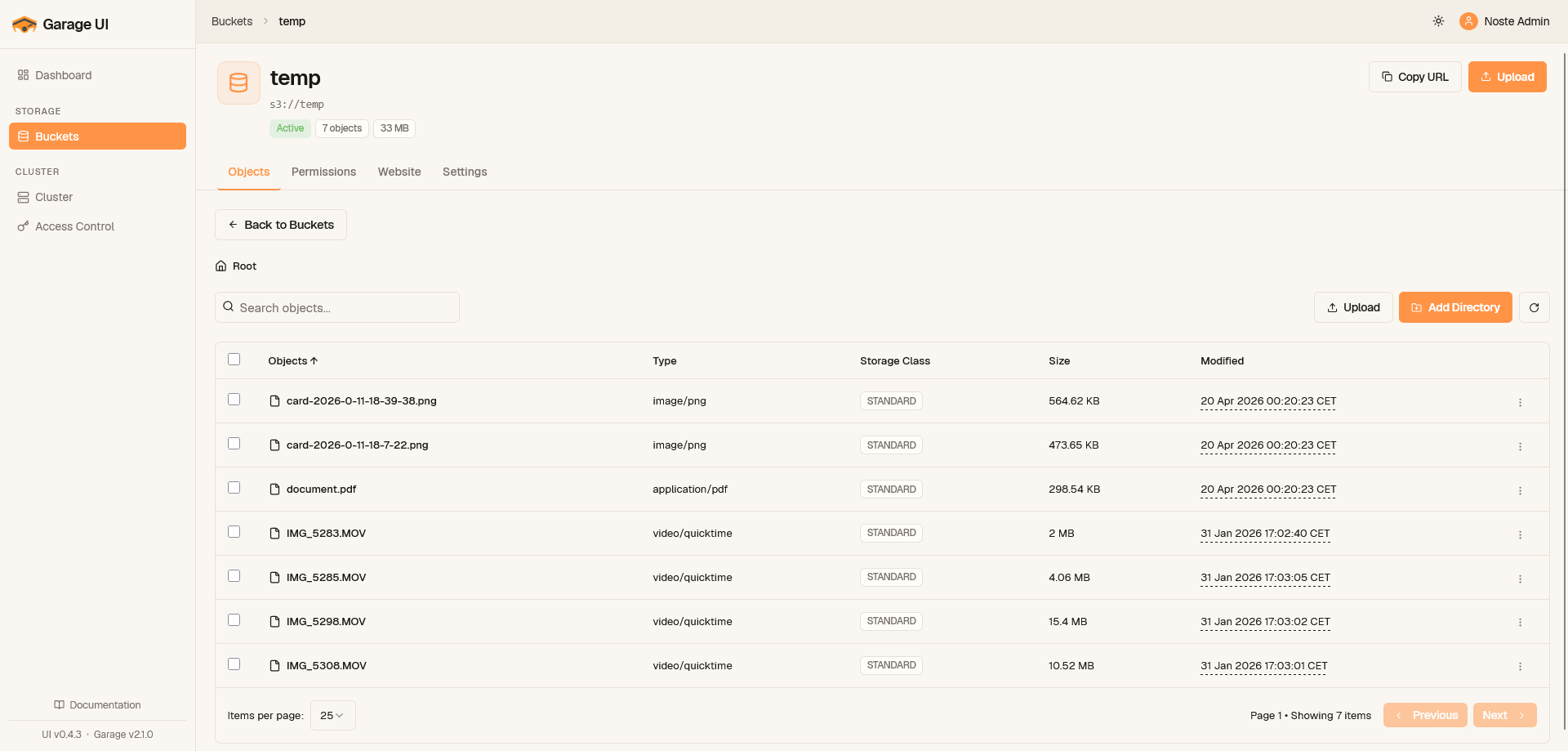
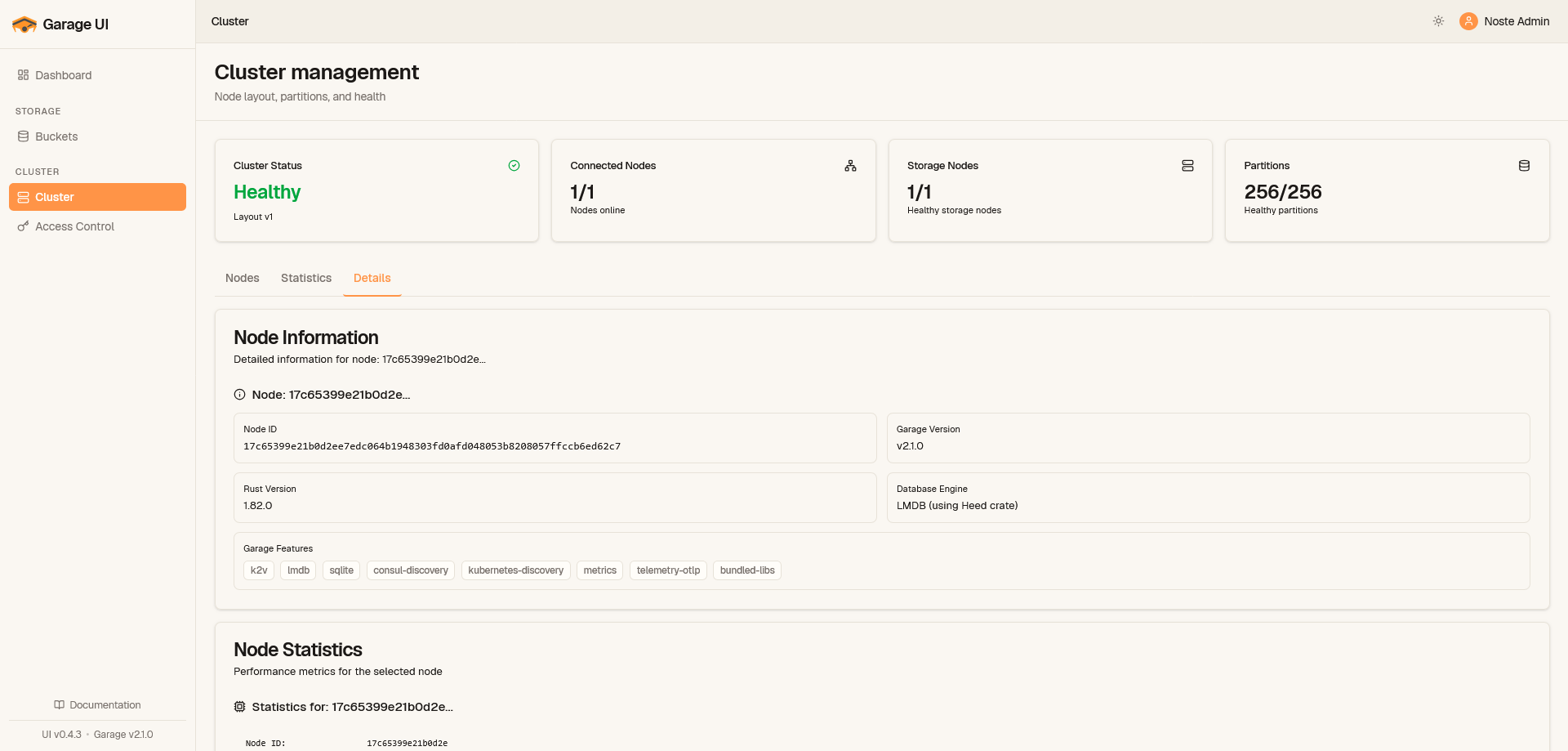
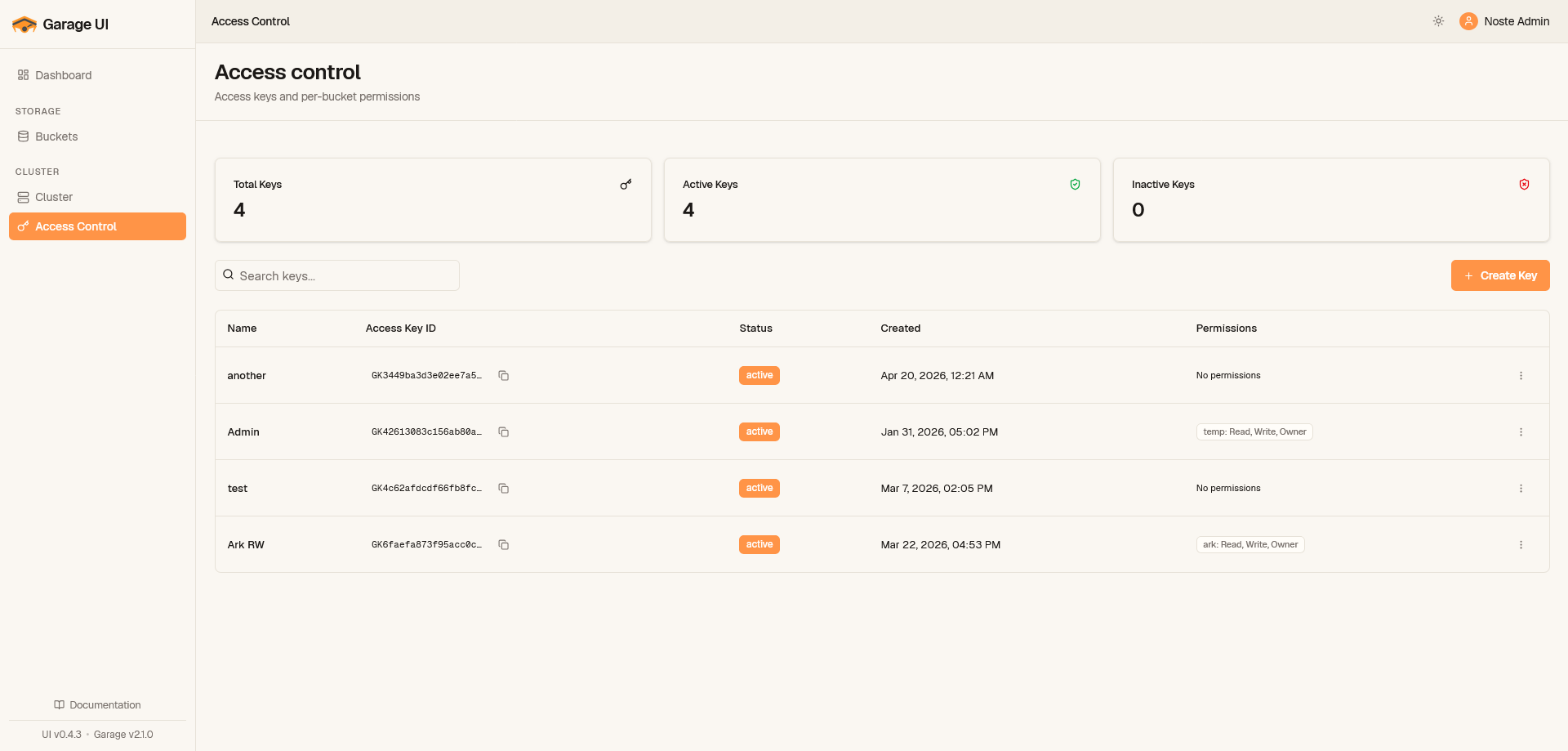
# Garage UI - Web Dashboard for Garage S3 Storage
A modern web interface to manage Garage object storage clusters. Browse buckets, manage access keys, monitor your cluster, all from your browser.
---
## Features
- **Bucket management** - create, configure, and browse buckets with drag-and-drop file uploads
- **Access key management** - create keys, assign per-bucket permissions
- **Cluster overview** - monitor node status, layout configuration, and storage usage
- **Flexible authentication** - no auth, basic credentials, or OIDC (Keycloak, Authentik, etc.)
- **Easy deployment** - single Docker image or Helm chart, configure with one YAML file
## Quick Start
### Prerequisites
- Docker & Docker Compose
- A running Garage cluster (v2.1.0+) - [setup guide](docs/garage-setup.md) if you need one
### 1. Clone & Configure
```bash
git clone https://github.com/Noooste/garage-ui.git
cd garage-ui
cp config.example.yaml config.yaml
```
Edit `config.yaml` with your Garage endpoints and admin token (from `garage.toml`).
### 2. Start
```bash
docker compose up -d garage-ui
```
Access at http://localhost:8080
## Deployment
### Docker
```bash
docker run -d -p 8080:8080 \
-v $(pwd)/config.yaml:/app/config.yaml \
noooste/garage-ui:latest
```
### Kubernetes
```bash
helm repo add garage-ui https://helm.noste.dev/
helm install garage-ui garage-ui/garage-ui \
--set garage.endpoint=http://garage:3900 \
--set garage.adminEndpoint=http://garage:3903 \
--set garage.adminToken=your-token
```
Access at http://localhost:8080
### Quick Start with garage.toml
If you already have a running Garage instance, you can point Garage UI directly at your `garage.toml` -- no `config.yaml` needed:
```bash
./garage-ui --garage-toml /etc/garage.toml
```
Garage UI reads the S3 endpoint, admin endpoint, admin token, and S3 region straight from the TOML file. When no authentication method is explicitly configured, **token auth auto-enables**: the login page asks for the Garage admin token, giving you a login wall with zero extra config.
**Bind address handling:** Wildcard addresses like `0.0.0.0` or `[::]` are converted to `127.0.0.1` so the UI can reach Garage on localhost. Inside containers this won't work -- override the endpoint explicitly with environment variables or a config file.
**Docker:**
```bash
docker run -d -p 8080:8080 \
-v /etc/garage.toml:/etc/garage.toml:ro \
-e GARAGE_UI_GARAGE_TOML=/etc/garage.toml \
-e GARAGE_UI_GARAGE_ENDPOINT=http://garage:3900 \
-e GARAGE_UI_GARAGE_ADMIN_ENDPOINT=http://garage:3903 \
noooste/garage-ui:latest
```
The endpoint overrides are needed because the container cannot reach `127.0.0.1` on the host.
**Combining flags:** Use `--garage-toml` for Garage connection values and `--config` for everything else (auth, CORS, logging, etc.):
```bash
./garage-ui --garage-toml /etc/garage.toml --config config.yaml
```
**Precedence order** (highest wins): built-in defaults < `garage.toml` < `config.yaml` < environment variables.
## Configuration
Minimum required config:
```yaml
server:
port: 8080
garage:
endpoint: "http://garage:3900"
admin_endpoint: "http://garage:3903"
admin_token: "your-admin-token"
region: "garage"
```
See [config.example.yaml](config.example.yaml) for all options including authentication, CORS, and logging.
### Environment Variables
Override any config value with `GARAGE_UI_` prefix:
```bash
GARAGE_UI_SERVER_PORT=8080
GARAGE_UI_GARAGE_ENDPOINT=http://garage:3900
GARAGE_UI_GARAGE_ADMIN_TOKEN=your-token
```
## Garage Configuration
Garage UI requires these settings in your `garage.toml`:
```toml
# Admin API (required for Garage UI)
[admin]
api_bind_addr = "0.0.0.0:3903" # Default: 127.0.0.1:3903
admin_token = "your-admin-token" # Generate with: openssl rand -base64 32
# S3 API
[s3_api]
s3_region = "garage" # Default: "garage"
api_bind_addr = "[::]:3900" # Default: 127.0.0.1:3900
```
**Important:** The `admin_token` and `s3_region` in `garage.toml` must match your Garage UI `config.yaml`.
For complete Garage configuration, see the [official documentation](https://garagehq.deuxfleurs.fr/documentation/reference-manual/configuration/).
## Development
Backend (Go 1.25+):
```bash
cd backend
go run main.go --config ../config.yaml
```
Frontend (Node.js 25+):
```bash
cd frontend
npm install
npm run dev
```
API docs: http://localhost:8080/api/v1/
## Troubleshooting
**Connection failed:**
```bash
curl http://localhost:3903/status -H "Authorization: Bearer your-token"
```
**Enable debug logs:**
```yaml
logging:
level: "debug"
format: "text" # or "json"
```
## Roadmap
Ideas being considered. Contributions welcome.
**Object browser**
- [ ] Inline preview (images, PDF, video, text/markdown, code)
- [ ] Resumable multipart uploads with pause/resume
- [ ] Folder uploads preserving prefix structure
- [ ] Bulk actions (delete, copy prefix, download prefix as zip)
- [ ] Command palette (Cmd-K) and keyboard navigation
**Sharing**
- [ ] Presigned download links with expiry + QR code
- [ ] Presigned upload drop-zones ("send me a file" pages)
**Buckets**
- [ ] Bucket alias manager (global vs. user-scoped)
- [ ] Quota editor with live usage bar
- [ ] Lifecycle editor (expiration + abort-multipart)
- [ ] CORS editor with built-in test request
- [ ] Website config (index/error docs) with live link
- [ ] Per-bucket usage graph over time
**Access keys**
- [ ] Permission matrix view (keys x buckets)
- [ ] Key rotation helper
- [ ] Copy-ready snippets per key (aws-cli, rclone, restic, s3cmd, mc, Terraform)
**Cluster**
- [X] Support Garage v1 to latest
- [ ] Visual layout editor with staged vs. applied diff
- [ ] Capacity planner / simulation
- [ ] Rebalance progress and node health timeline
- [ ] Worker/repair panel (trigger scrub, repair, rebalance)
**Observability**
- [ ] Dashboard with dedup/compression savings
- [ ] Metrics explorer pulling from Garage `/metrics`
- [ ] Admin audit log
**Polish**
- [ ] i18n (FR/EN)
- [ ] Mobile-friendly object browser
- [ ] First-run onboarding wizard
- [ ] GitOps export (layout + buckets + keys as YAML)
## License
MIT - see [LICENSE](LICENSE)
## Links
- [Issues](https://github.com/Noooste/garage-ui/issues)
- [Contributing](CONTRIBUTING.md)
- [Garage Docs](https://garagehq.deuxfleurs.fr/documentation/)